Most cloud teams are already using cloud automation. There's Terraform in one repo, Ansible playbooks in another and a CI pipeline ties them all together. The problem is that "infrastructure automation tools" cover such a diverse range of use cases that it’s hard comparing them directly. In this blog post we’ll review 9 such tools, that actual task each one solves, and the niche it occupies. InfrOS is our product hence we will list it first, but we made sure to be fair in reviewing the rest. And also, we'll be upfront about our view - most cloud teams have too many tools stitched together, and we believe fewer is better.
Key Takeaways
- Infrastructure automation covers provisioning, configuration, orchestration and, more recently, architecture decisions.
- Terraform, OpenTofu, Pulumi and CloudFormation build infrastructure. Spacelift and env0 are infrastructure orchestration tools that run and govern those builds.
- Almost every tool starts after someone has already picked the architecture. InfrOS works on that earlier step.
- Most teams juggle too many tools. The fewer tools you work with, the fewer handoffs where things break.
What Counts as Infrastructure Automation
Infrastructure automation, for the purposes of the list, refers to software that performs a step within the process of creating, configuring, or maintaining an infrastructure component in an automated way instead of a manual one. This includes IaC, configuration management, the process of running and approving changes, and policy enforcement. General CI/CD systems like GitHub Actions or Jenkins were excluded because they belong to a separate category - they could run Terraform, but wouldn't know what infrastructure is. The same is true about monitoring solutions that merely point at broken parts of an infrastructure but don't fix it.
Automating a Decision Is Not the Same as Automating Deployment
The vast majority of tools perform an action according to the plan - you decide which cloud, regions, database, networking design and redundancy level you need, and the tool implements it. This is good, but the tool doesn't care whether your design was right or wrong. If your architecture costs you twice as much as it needs to, or collapses after region failure, Terraform will build it anyway.
A subset of these tools actually creates the design. They consider your requirements, contrast various architectural options and highlight the trade-offs in terms of costs, performance, resilience, and compliance before any implementation takes place. This is important because an architecture design mistake can easily be corrected on the whiteboard but would be very costly once implemented. For more details check out this blog post about shift-left cloud infrastructure design.
The 9 Best Infrastructure Automation Tools
With that split in mind, here's each tool, what it automates, how it deploys and who it fits.
1. InfrOS
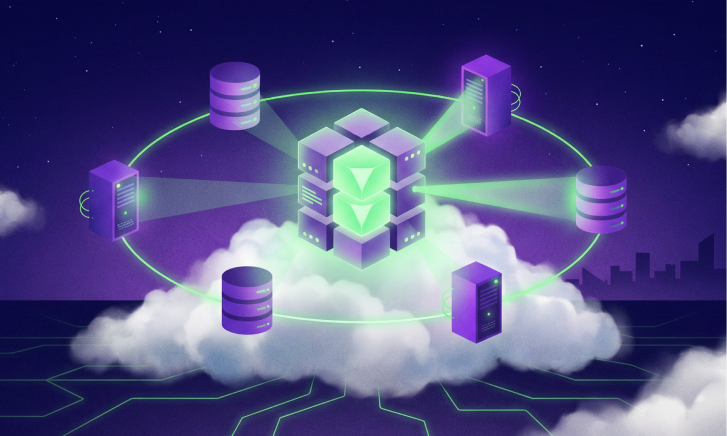
InfrOS covers the entire cycle in one single package. It first helps to identify your infrastructure as well as requirements. This is followed by creation of different architectural options for you and analysis of them based on cost, performance, resiliency, and compliance. Before making any choice, it simulates the behavior of all options. Thus, you will be choosing based on facts rather than guesswork. Finally, after selecting one option, InfrOS helps to generate infrastructure as code and deploy the same. It will keep monitoring the live environment to inform you about better options whenever available. We call this Evolving Architecture™.
Recommended for: Cloud teams working in one or multiple clouds who seek a single solution for their design, validation, IaC and ongoing assessments.
2. Terraform
Terraform remains the default choice for most teams, and deservedly so. Describe infrastructure in HCL files, execute the plan to see the changes to be done, and then apply those changes. With hundreds of providers, it can connect to pretty much any cloud or SaaS APIs. Nearly all Terraform automation done at scale happens either via HCP Terraform or a third party orchestrator which provides capabilities of remote executions and state management.
Best for: Pretty much any team that starts with IaC, especially in the context of multiple clouds.
Watch out for: HashiCorp put Terraform under Business Source License in 2023. HashiCorp got acquired by IBM recently. For most of us, nothing much changed, but for some companies, a fully open source option became preferable.
3. OpenTofu
OpenTofu is the open-source fork of Terraform, created after that license change and now run under the Linux Foundation. Same HCL, same providers, very similar CLI, so moving over is usually a small job. It has also added features of its own, like built-in state encryption.
Best for: Teams that want the Terraform workflow with an open-source license and community governance.
Watch out for: The two projects are slowly drifting apart, so features don't always match.
4. Pulumi
Pulumi allows for writing infrastructure using real programming languages such as TypeScript, Python, Go, C# and Java. This implies usage of loops, functions and unit testing instead of configuration language. It still operates through the desired state at its core meaning that you get to see the preview of each change before it is deployed.
Good for: Teams with a lot of developers willing to write code instead of learning HCL.
Keep in mind: With power comes increased ability to write messier infrastructures. Having a good system of code reviews in place is crucial.
5. AWS CloudFormation
AWS CloudFormation is AWS’ own IaC solution. Using YAML or JSON templates AWS deploys and updates your infrastructure as a stack with rollback upon failure. Service itself is free but you have to pay for the resources it builds.
Good for: Teams which only use AWS and are interested in staying within their tooling ecosystem.
Keep in mind: It's AWS-only. The moment you start deploying your infrastructure to other clouds, you'll need another tool.
6. Ansible
Ansible manages configurations of running servers. You craft playbooks using YAML format, and then Ansible connects via SSH to deploy packages, manage settings, and provision applications. There’s no agent involved, which makes the whole process straightforward.
Best for: Operations teams managing dozens of VMs, on-premise servers or networking devices. Usually used together with Terraform, where Terraform provisions and Ansible configures.
Be aware of: Ansible is not good with monitoring state of cloud resources, and therefore it’s not the best choice as a primary infrastructure provisioning solution.
7. Spacelift
Spacelift is one of those infrastructure orchestrators that are sitting on top of your IaC. It allows running Terraform, OpenTofu, Pulumi, CloudFormation, Ansible, and Kubernetes workloads directly from your Git repositories. On top of it, it provides policies in code through Open Policy Agent, approvals, drift management and stack dependencies.
Best for: Platform teams with multiple stacks and multiple contributors that need some guardrails.
Be aware of: It’s one more platform to learn and use. Teams with only a few stacks probably don’t need it yet.
8. env0
Similar in concept to Spacelift but focusing more on developer self-service and cost optimization, env0 allows platform teams to release approved templates for use by developers who build environments from those templates, with cost information added by env0 prior to deployment. If your concern is cloud governance, we've covered cloud governance tools for engineering teams before.
Best For: Organizations where developers should be able to spin up their own environments without giving them access to everything.
Beware: Like Spacelift, this is worth its weight in gold at scale.
9. Crossplane
Crossplane is Kubernetes-as-a-control-plane for cloud infrastructure. Resources are defined as Kubernetes objects and managed through reconciliation (even when manual changes have been made), allowing platform teams to define APIs for themselves as a sort of wrapper, like a "database" object that handles all the cloud configuration under the hood.
Best For: Platform engineering teams who know their way around Kubernetes well.
Beware: This one's quite steep for those just starting with Kubernetes.
Tools Compared at a Glance
Here's how all nine line up on the same criteria.
A few things jump out. Four of these tools (Terraform, OpenTofu, Pulumi and CloudFormation) do basically the same job with different languages and licenses, so you only need one of them. Spacelift and env0 only make sense once you have one of those four. And InfrOS is the only one that covers the steps before, during and after provisioning. So the real question isn't which tool is best. It's how many tools you actually need.
How These Tools Fit Together in One Pipeline
Consider the traditional pipeline to have four tiers. The first one is the decision tier where you select the architecture. The second is the definition tier where the architecture gets converted into code using Terraform, OpenTofu, Pulumi, or CloudFormation. Then, there is the orchestration tier where Spacelift or env0 executes the code with policy enforcement and approvals, or Crossplane does the same within Kubernetes. Finally, there is the configuration tier where Ansible configures the servers and applications.
And that means four tools, four vendors, and four handoffs – and every single handoff becomes another point of failure. Instead, InfrOS uses a different approach, encompassing the decision-making, the IaC itself, the validation process and the monitoring within one loop, making it possible for you to remove quite a few elements from the stack rather than keeping it all running. This is end-to-end cloud automation, spanning design and live operations. Looping is important here because the process does not stop at deployment. Workloads evolve, pricing changes, new requirements come up – and an architecture that was perfect last year may no longer work.
Keeping it in shape is an ongoing job, which our guide to cloud infrastructure optimization best practices covers.
FAQ
What is infrastructure automation?
It's the use of software for performing the tedious tasks of creating and managing the infrastructure. The tasks include coding of the infrastructure, provisioning of cloud resources, server configurations, approvals and policy enforcement. This aims at improving the speed, repeatability, and accuracy of change. More recent automation technologies extend the process of automation right from the stage of architectural designs to determine the best architecture options.
What is the difference between automation and orchestration?
Automation is getting one task done without a person, like creating a database with a single Terraform apply. Orchestration is coordinating many automated tasks into one flow, in the right order and with the right checks. Think provisioning, then a policy check, then an approval, then configuration. Spacelift and env0 are infrastructure orchestration tools, while Terraform and Ansible are mostly automation. Once things grow, you usually need both.
Do these tools replace Terraform?
Automation involves getting a single task completed without human intervention, such as building a database through a single apply in Terraform. On the other hand, orchestration involves managing all the automated tasks together as part of one workflow, in order and with the proper checks. For example, provision, policy check, approval, and configuration. Env0 and Spacelift are examples of infrastructure orchestration tools, whereas Terraform and Ansible are more automation tools.
Which infrastructure automation tools suit small teams?
Keep it simple. You typically need one infrastructure-as-code tool for a small group, such as Terraform, OpenTofu or Pulumi, that operates within the CI pipeline you’re already using. CloudFormation will do the job just fine if you're only working in the AWS environment. Orchestration platforms and Kubernetes tools like Crossplane are more likely to give you return value later down the line when you have many stacks.
How do you measure the return on infrastructure automation?
Let's start from things that are quantifiable. Measure the time that is required to deploy a change, the number of deployments that failed, the amount of time spent handling manual tickets, and how frequently drift occurred. In case of architecture level automation solutions, let's not forget about comparing cloud costs to some kind of baseline and counting the number of designs that were avoided after the go live.
Our post on a FinOps cost optimization agent shows one way to tie automation to real cost numbers.
About InfrOS
InfrOS assists cloud teams in choosing what to build, validating that decision prior to production, and adapting as needed going forward.